KLP Launcher

Closed beta · Built-in AI assistant

Getting into a game,
down to a single click

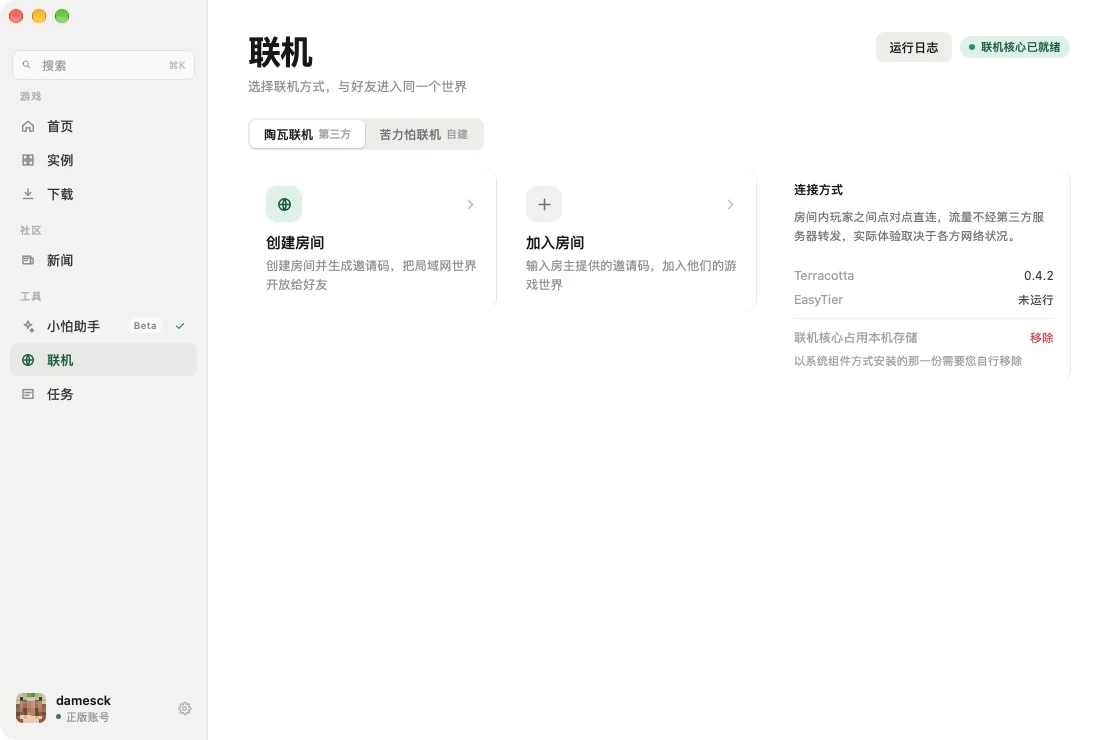
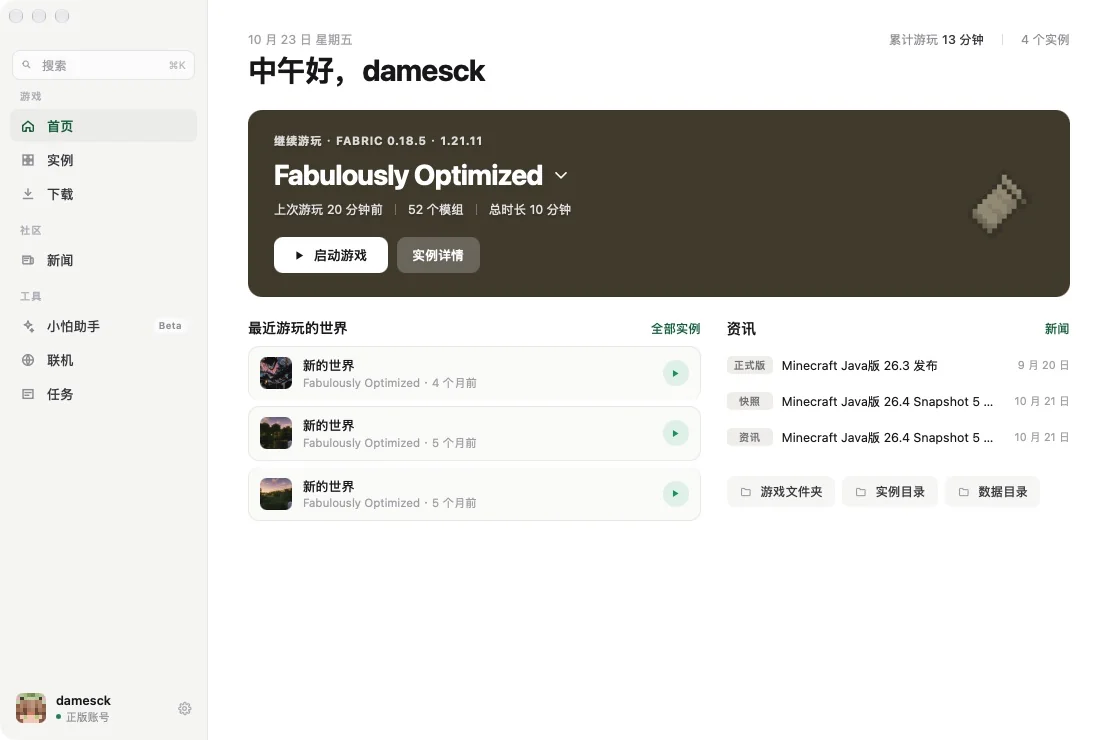
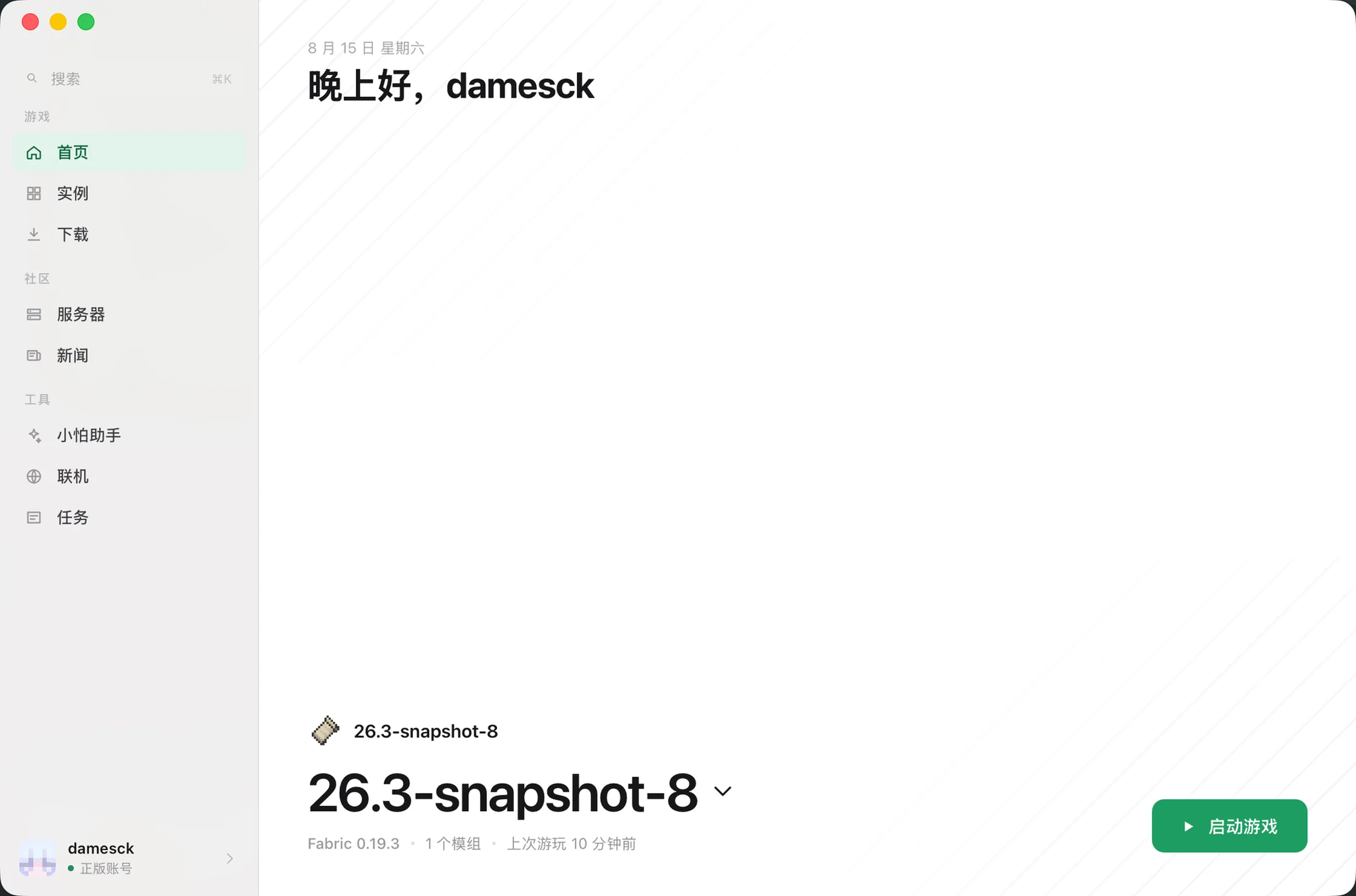
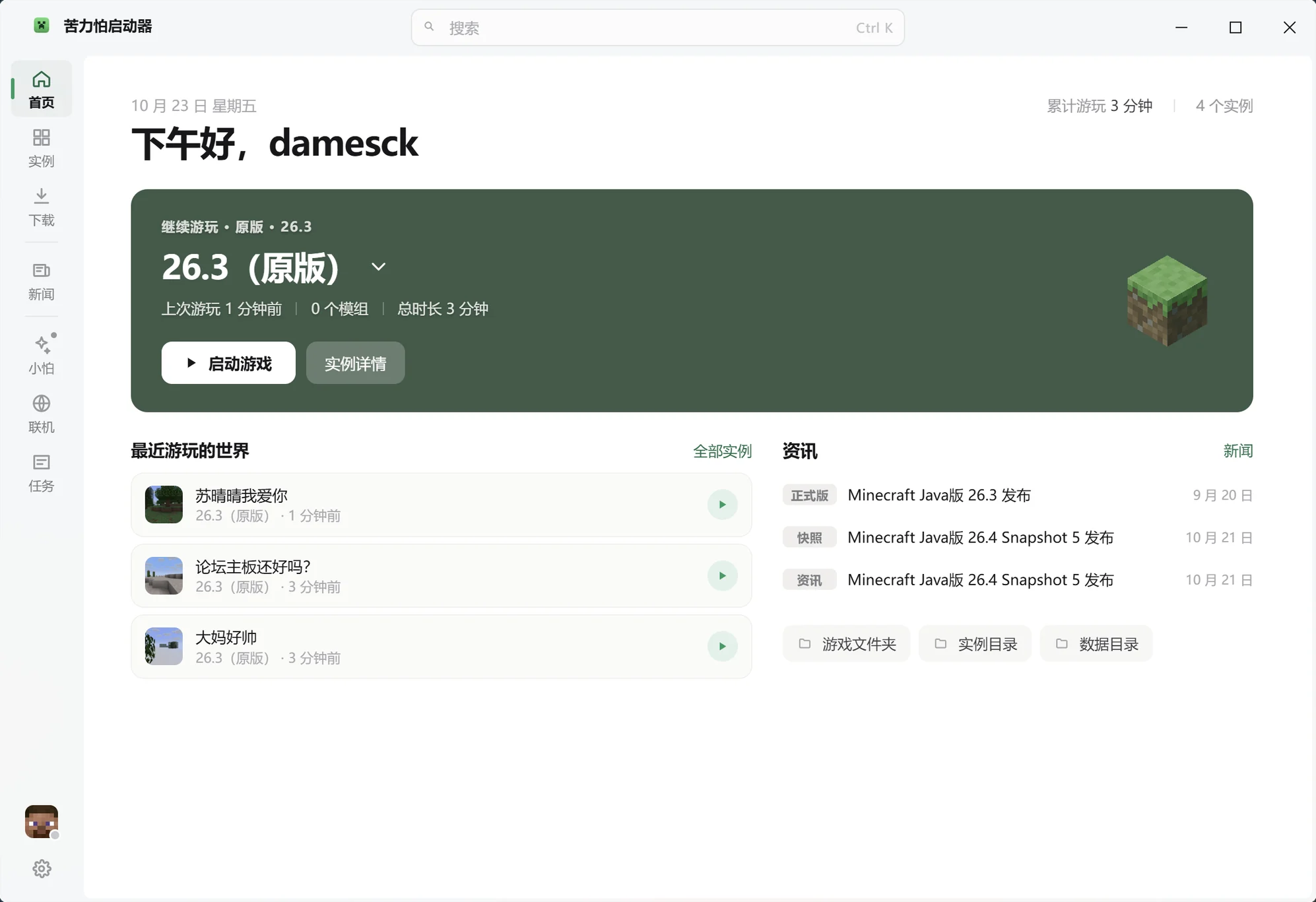
KLP Launcher manages your instances, mods, worlds and servers. What to install, which server to join, how to fix a crash — just ask it.

Free · No ads · Microsoft sign-in pending approval

Features

Everything a launcher should do, done

Isolated instances, mod management, world backups, multiple accounts, faster downloads. No third-party plugins, no hand-editing config files.

Fully isolated instances

Each instance keeps its own mods, config and worlds, so changing one never touches another. Switching versions needs no reinstall.

One-click mods

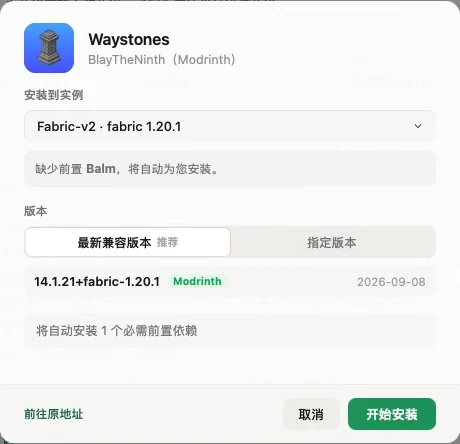
Search, install, update and disable from the same list. Dependencies are pulled in automatically, and version conflicts are flagged before you install.

Automatic world backups

Back up on a schedule or snapshot by hand. Deleted the wrong thing, or corrupted a world? Roll back to any point in time.

Multiple accounts

Microsoft sign-in is being integrated and will be available once approval goes through. Several accounts can be saved at once, and switching takes two clicks, no restart.

Mirrors and parallel downloads

Regional mirror nodes with multi-threaded downloads, and the concurrency is adjustable. Installing a large modpack no longer means waiting behind a proxy.

Crash log analysis

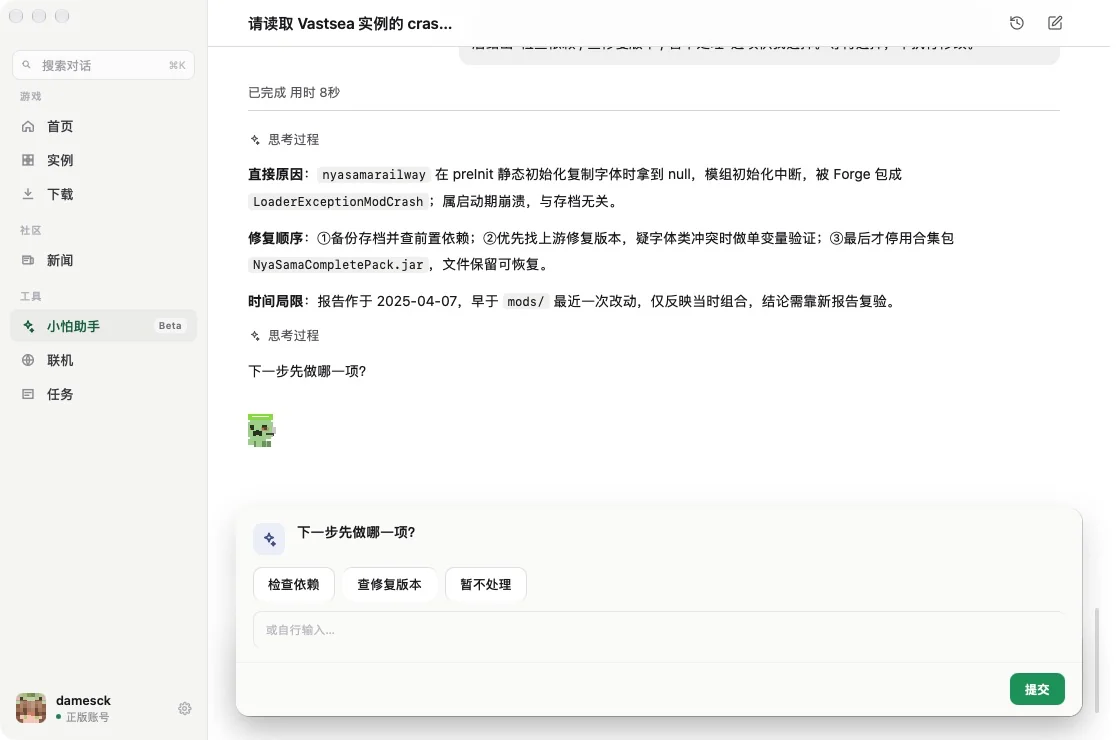
When the game crashes, the launcher reads the log, points at the mod and the line, and suggests a fix you can act on.

AI assistant

It answers, then it acts

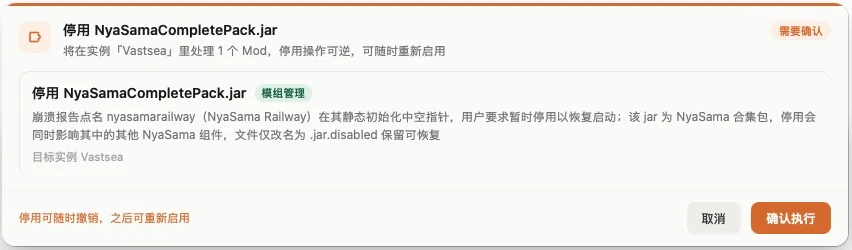
It can read your instances, mod lists and crash logs. Find a mod, install a modpack, track down a conflict — one sentence is enough. Anything that touches your files opens a confirmation card first, spelling out what it will do and which instances it affects. Nothing runs until you approve it.

It sees your actual setup

Mod versions, loader, Java runtime and crash logs are all visible to it — no copy-pasting required.

Confirm before it acts

Installs, deletions and config changes open a confirmation card that states what changes and which instances are affected. Cancel any line item.

Destructive actions marked apart

Irreversible things like deleting an instance use a red primary button and list exactly what goes and what stays.

Bring your own model

Point it at your own model endpoint and key in settings — or turn the AI off entirely.

Server directory

Stop digging through forum threads

Filter by version, game type and loader, with live player counts and ping. Hit Join and the launcher matches the right instance, adds any missing mods, and runs a check before you connect.

Live
Players and ping
One click
Instance matching

Content

Mods, modpacks and shaders in one place

Connected to Modrinth and CurseForge, with mirror nodes for faster downloads. Before installing, it tells you which instance fits and what dependencies are missing.

C

Interface

Restrained, clean, quick

No showy motion, no decoration for its own sake. Everything you do often is within two clicks.

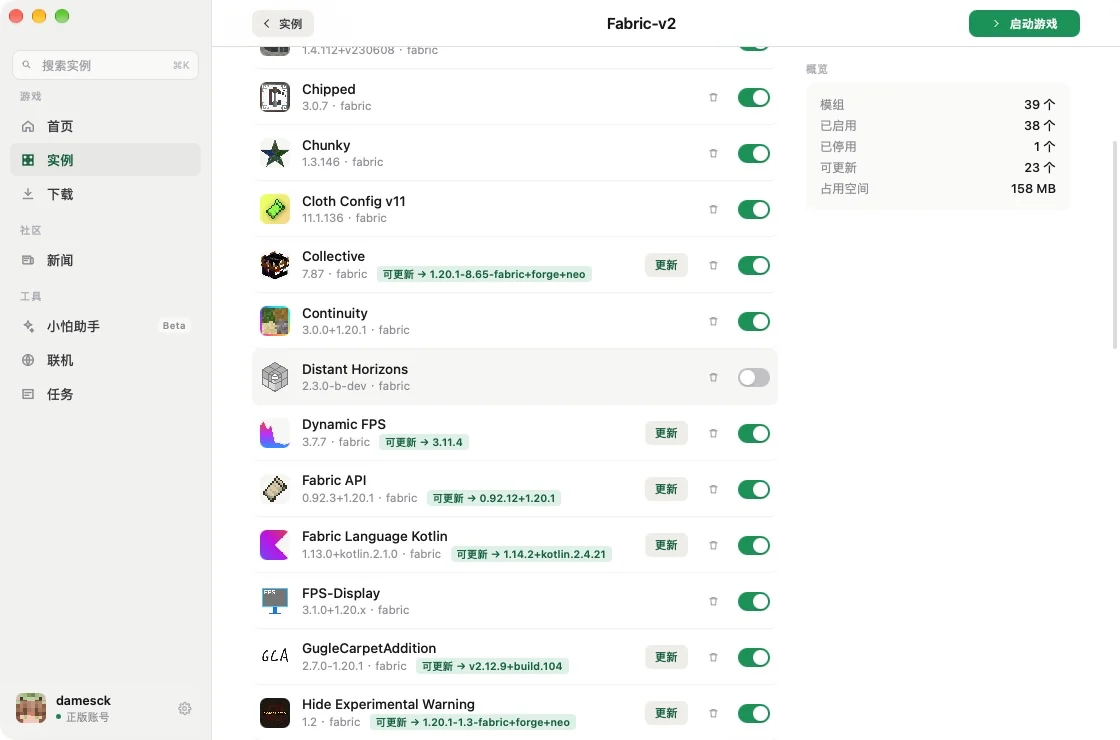
Instance management

A list view, one row per instance, with the play button always in the same place.

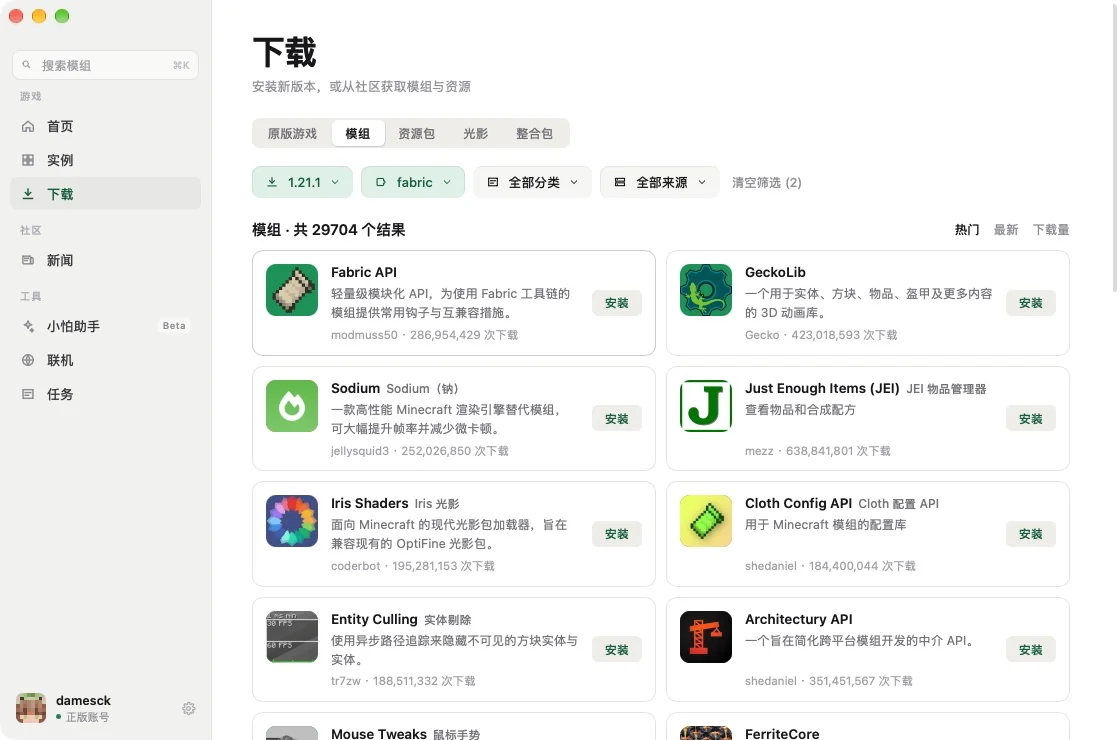
Content downloads

Mods, resource packs, shaders and modpacks in separate tabs, filters pinned to the top.

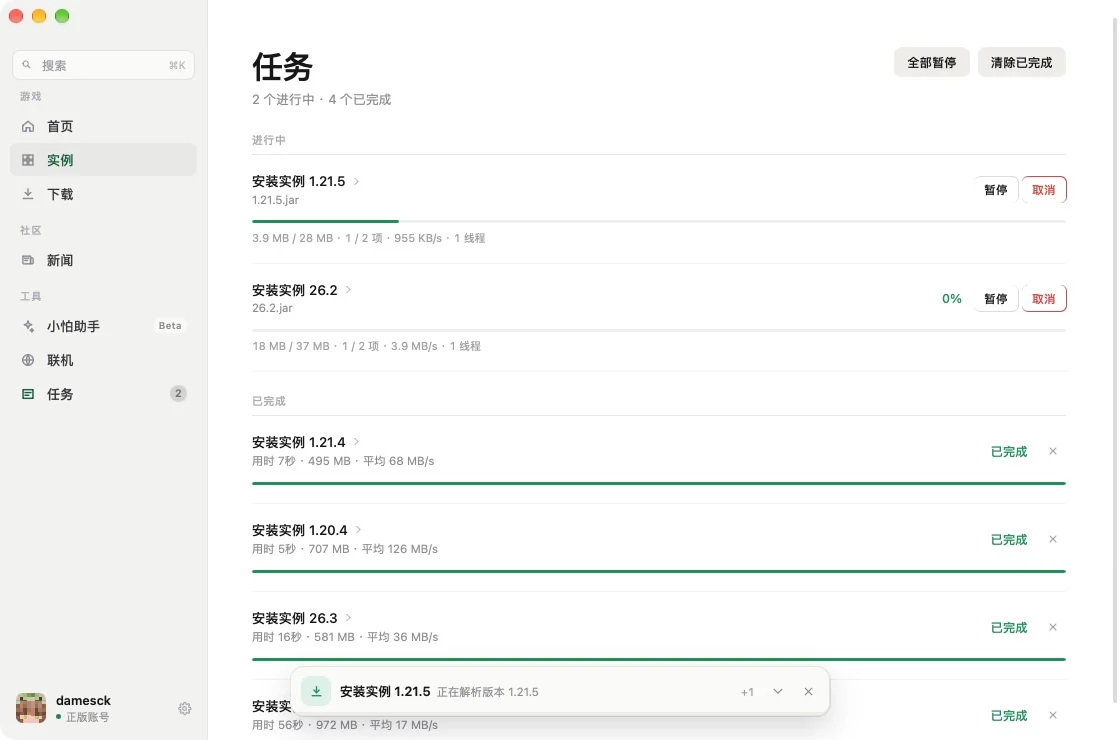
Task center

Every download and install in one place — pause, cancel or retry.

FAQ

Start here

Which sign-in methods are supported?

Microsoft sign-in needs Minecraft API access approval from Mojang. That application is still in progress, so we cannot promise a date yet — once it goes through, you sign in directly in the launcher. Multiple accounts can be saved and switched at any time.

Can I use instances from other launchers?

Yes. Import an existing .minecraft directory or another launcher's instance folder and the mods, worlds and config are all picked up. The original directory is left untouched.

Will the AI change my files without asking?

No. Every write goes through a confirmation card you have to approve, and deletions list their full scope separately. You can also turn the AI off entirely in settings.

Downloads are slow. What can I do?

Mirror nodes and parallel connections are on by default. If it is still slow, switch to another source in the Downloads section of settings, or lower the concurrency to avoid throttling.

Which systems are supported?

Windows 10 and later (x64), and macOS 12 and later on Apple Silicon. There are no Linux builds, and no builds for x86 Macs. Java is downloaded automatically per instance, so there is nothing to install yourself.

Does it cost anything?

No. The launcher is free to download and use, with no ads and nothing bundled into the installer.

What is the difference between the portable and installed builds?

The portable build keeps its data next to the program, so the whole folder can travel on a USB stick and uninstalling means deleting it. The installed build stores data in your user directory. Features are identical. On read-only media the portable build falls back to storing data the way the installed build does.

Coming soon

The launcher is applying for Minecraft API access from Mojang. Until that is approved, no download is offered here. Once it goes through, builds will appear on this page — free, no ads, nothing bundled in.

Windows 10 / 11 · x64 Coming soon
macOS 12 and later · Apple Silicon Coming soon
Linux Not supported yet No builds yet

Write to admin@klp-launcher.com if you want to hear when it lands.